Hours of Operation:
Monday to Friday:
8:00 am to 5:00 pm Pacific

Contact Info:
TEL. 604.732.0142
FAX. 604.737.0162
EMAIL: sales@retrotec.com

Software : Door Fan 3.0

Door Fan 3.0 represents the most advanced door fan testing software on the market today. Used by building performance professionals world wide, it conforms to both EN13829 and ATTMA: TS-1

Screenshots:

home.giftest.gifresults.gif

The software is in constant development so check back here often for new releases.

If you find any bugs or have a new feature request, please feel free to let us know. Send an email with the subject line “Door Fan 3.0 Bug” or “Door Fan 3.0 Feature Request” to support@Retrotec.com.

Door Fan 3.0 remains in development and the following license agreement applies. Download the Latest Version

There are now four separate versions of Door Fan 3.0 with support for the ATTMA standard, the EN13829 standard, the CSGB 149.10 standard and the ASTM E779-03 standard.

Please review the release note carefully before downloading the software.\

45 Day Limited Demonstration Version

All current releases of Door Fan 3.0 have a 45 day time limit. The software will stop working 45 days after its first use. A software license will be required to continue to use Door Fan 3.0 software after this period


ATTMA

(UK)

EN13829
(Europe)

CGSB 149.10

(Canada)

ASTM E779-03

(USA)

Beta Release

3.251

Download

Download

Download

Download

Stable Release

3.247

Download

Download

Download

Download

Older Releases

3.233

Download

Download

Download

Download

Users in Alaska should download the CGSB 149.10
version of Door Fan 3.0

Users in Ireland should download the EN13829 version of Door Fan 3.0.

Connecting a DM-2

dm2 mark ii-small.png

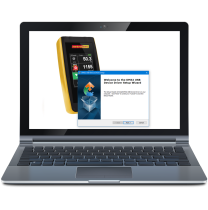
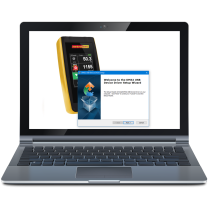
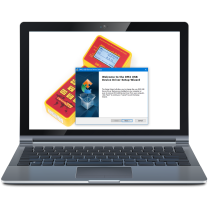
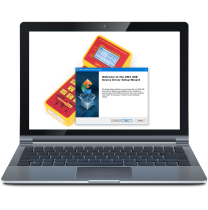
To connect a DM2 to your computer, be sure to download the DM2 Device installer.

Installing on Windows VISTA

1. Download the installation program to a known location (we recommend you create a folder My Documents/Retrotec and save it there, along with your software license).
2. Right-click on the installation program and select Run As … Administrator.
3. Acknowledge all of the prompts.
4. DO NOT launch Door Fan 3.0 from the installation program - if it launches, shut it down.
5. Right-Click on the desktop shortcut icon and choose Properties.
6. On the resulting Door Fan 3.0 Properties window, select the Shortcut tab.
7. Click the [Advanced…] button.
8. Select (check) the option to Run as Administrator.
9. Click Ok on all windows to close out the Properties window.
10. Door Fan 3.0 should now run correctly on Vista.


Upgrading to the Latest version of Door Fan 3.0

To upgrade your Door Fan 3.0 installation to the most recent version:

1. Print a hard-copy backup of your previous test results.
2. Download and run the latest version of Door Fan 3.0.
3. Door Fan 3.0 has now been upgraded.


Notes: If Door Fan 3.0 does not function as expected, proceed to the next section to perform a clean upgrade.

To perform a clean upgrade for Door Fan 3.0:
CAUTION! this will destroy all previous test data!

1. Print a hard-copy backup of your previous test results.
2. Click on Start->All Programs->Retrotec Programs->Door Fan 3.0 and then click on “Uninstall Door Fan 3.0”.
3. Click “Yes” when asked if you want to delete the Door Fan 3.0 folder and database.
4. Download and install the latest version of Door Fan 3.0.
5. Door Fan 3.0 has now been upgraded.


Please note that while Retrotec endeavors to maintain backwards compatibility with future releases of Door Fan 3.0, we can not guarantee you will be able to successfully upgrade to newer versions without data loss. As such, we recommend printing a hardcopy of all previous tests for archiving purposes.